Choosing the best resource planning software can get complicated pretty quickly.
There are tools built for straightforward scheduling, platforms designed around professional services, and increasingly sophisticated options using AI and skills data to tackle much bigger workforce planning problems.
And, of course, every provider thinks their approach is the right one.
So we’ve pulled together some of the leading resource planning tools available in 2026, including what each does particularly well and the type of organisation it’s best suited to.
Let’s take a look.
How we chose the best resource planning software
There’s no universal “best” resource planning tool. A 50-person consultancy has very different requirements from a global firm scheduling thousands of people across multiple teams.
So, we’ve focused on what’s most important when choosing resource planning software: scheduling, capacity planning, skills matching, forecasting, reporting, integrations, ease of use, and the complexity each platform can comfortably handle.
We’ve also looked at where each tool shines.
Disclosure: Product information in this article is based on publicly available information and was accurate to the best of our knowledge as of September 2026. Features, pricing, and product capabilities may change, so we recommend checking each provider’s website for the latest information.
The best resource planning software at a glance
Short on time? Here’s the quick version.
| Resource planning software | Best for |
| Retain | Complex, skills-led resource planning |
| Runn | Resource and capacity planning |
| Float | Simple, visual resource scheduling |
| Resource Guru | Straightforward team scheduling |
| Kantata | Professional services automation and resource management |
| Saviom | Enterprise resource and capacity planning |
| Mosaic | AI-powered resource planning |
| BigTime | Professional services firms wanting PSA functionality |
| Wrike | Combining project and resource management |
| Dayshape | Resource planning with a strong AI scheduling focus |
There’s quite a spread there. Some are deliberately simple. Others are built to handle thousands of people, complex skills requirements, multiple departments, and some seriously tricky scheduling.
Let’s dig into each one.
1. Retain
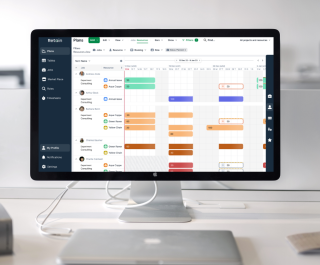
Retain is built for organisations that need to plan people across multiple projects, teams, departments, or locations. It covers scheduling, capacity planning, forecasting, utilisation, and reporting, with a particularly strong focus on skills and intelligent resource allocation.
Skills+ gives organisations access to a taxonomy of up to 30,000 skills, while AI-powered matching helps planners find suitable people based on factors including skills, experience, availability, workload, and preferences.
For more complex planning, Retain’s MatchingCore technology can evaluate hundreds of possible resource allocation scenarios, helping teams identify stronger combinations across the wider resource plan rather than working through potential assignments one by one.
You also get cross-department visibility, behavioural profiling, Power BI reporting, and integrations with wider business systems.
Key features:
- Skills-based resource planning and Skills+
- AI-powered resource matching
- Resource optimisation with MatchingCore
- Capacity and availability planning
- Automated assignment and scheduling
- Reporting and analytics
- Enterprise integrations
Worth knowing: Retain is geared towards medium-to-large organisations with more complex resource planning requirements, so smaller teams looking for simple scheduling may find some of the lighter tools on this list a better fit.
2. Runn
Best for: Capacity planning and forecasting with an easy-to-use interface
Runn is a resource management and capacity planning platform designed to give teams a clear view of who’s available, what they’re working on, and what’s coming next.
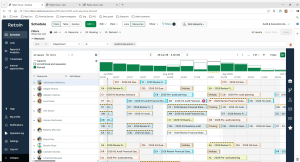
Its strength is forward planning. You can compare capacity with demand, schedule people across projects, add tentative projects, and run what-if scenarios to see how future work could affect workloads. There are also tools for timesheets, project financials, utilisation and reporting.
It’s pretty easy to see the appeal. The interface is deliberately simple, and teams can start with the core planning features without taking on a full PSA platform.
Key features:
- Resource scheduling
- Capacity and availability planning
- Scenario planning
- Project and financial forecasting
- Timesheets and reporting
- API and integrations
Worth knowing: Some of Runn’s more advanced functionality is reserved for higher plans. Resource requests and its SmartMatch AI beta, for example, are currently listed under its Advanced plan.
3. Float
Best for: Visual resource scheduling and capacity planning
Float is a popular choice for teams that want to see exactly who’s working on what, without overcomplicating resource planning.
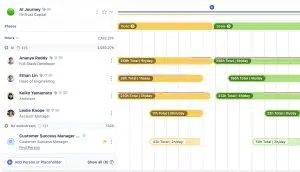
Its visual schedule makes it easy to allocate work, check availability, spot overbookings, and make changes using drag-and-drop scheduling. Teams can also track capacity, utilisation, project budgets, and planned versus actual hours.
That simplicity is a big part of Float’s appeal. If your main priority is getting a clear picture of workloads and making scheduling easier, there’s a lot to like.
Key features:
- Visual resource scheduling
- Capacity and workload planning
- Time tracking
- Utilisation reporting
- Project budgeting
- Integrations with project management tools
Worth knowing: Float focuses heavily on scheduling and capacity management. Organisations looking for deeper skills intelligence and more complex talent matching may need additional functionality.
4. Resource Guru
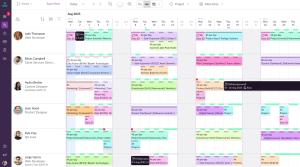
Best for: Straightforward team scheduling
Resource Guru keeps things refreshingly simple. Its calendar-style interface lets you schedule people, meeting rooms, and equipment, while quickly seeing availability and potential clashes.
There are also tools for managing leave, tracking utilisation, and reporting on how resources are being used. For smaller teams that mainly want to escape spreadsheets and get scheduling under control, that may be plenty.
Key features:
- Drag-and-drop scheduling
- Availability and workload management
- Clash management
- Leave management
- Utilisation reporting
- Equipment and room scheduling
Worth knowing: Resource Guru is primarily a scheduling and resource management tool. Larger organisations needing sophisticated skills matching, workforce optimisation, or enterprise-wide planning may want to look at some of the more advanced platforms on this list.
5. Kantata
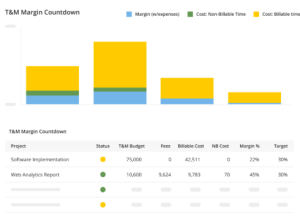
Best for: Professional services automation with resource management built in
Kantata combines resource management with wider professional services automation (PSA), covering areas such as project management, financial management, time tracking, forecasting, and business intelligence.
For resource planning, teams can see availability and demand, identify staffing gaps, forecast capacity, and match people to upcoming work. That wider PSA functionality makes Kantata particularly relevant for professional services businesses that want resource planning closely connected to project delivery and financial performance.
Key features:
- Resource and capacity planning
- Skills management
- Project management
- Financial management and forecasting
- Time and expense tracking
- Reporting and business intelligence
Worth knowing: Kantata covers a lot of ground. If you already have established systems for project and financial management and mainly need dedicated resource planning, you may end up with more functionality than you need.
6. Saviom
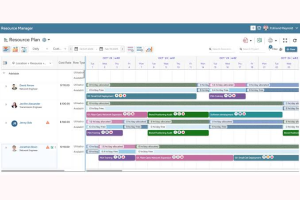
Best for: Enterprise resource and capacity planning
Saviom is designed for larger organisations managing resources across multiple projects, departments, and locations.
It offers resource scheduling, capacity planning, forecasting, skills management, utilisation tracking, and scenario modelling. There’s plenty of depth here, particularly for organisations trying to get a handle on future demand and workforce capacity.
Key features:
- Enterprise resource scheduling
- Capacity and demand planning
- Skills management
- Scenario modelling
- Utilisation forecasting
- Reporting and analytics
Worth knowing: Saviom’s breadth makes it better suited to complex resource environments. Smaller teams wanting something they can pick up and run with quickly may prefer one of the simpler options in this list.
7. Mosaic
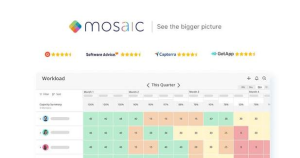
Best for: AI-powered resource planning for project-based teams
Mosaic uses AI to help teams plan workloads, forecast demand, and decide who should work on upcoming projects.
It brings resource and project data together to show capacity, utilisation, skills, and availability. Its AI capabilities can also help with recommendations and forecasting, making it an interesting option for teams looking to automate more of the planning process.
Key features:
- AI-powered resource planning
- Capacity and workload planning
- Skills tracking
- Demand forecasting
- Utilisation reporting
- Integrations with existing systems
Worth knowing: Mosaic is particularly geared towards project-based organisations. Firms with highly complex skills, compliance, or cross-department scheduling requirements should look closely at how its functionality fits their specific planning processes.
8. BigTime
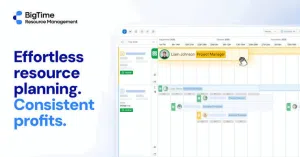
Best for: Professional services firms that want resource planning alongside PSA
BigTime combines resource planning with project management, time tracking, billing, and financial management.
Its resource management tools help teams see availability, allocate people to projects, forecast capacity, and monitor utilisation. Because those decisions live alongside project financials and billing, it can be a useful option for professional services firms looking to manage more of their operations in one platform.
Key features:
- Resource allocation and capacity planning
- Project management
- Time and expense tracking
- Billing and invoicing
- Utilisation reporting
- Financial reporting
Worth knowing: BigTime’s broader PSA functionality is a big part of the package. Teams primarily looking for specialist resource planning capabilities should consider how much of that wider functionality they’ll actually use.
9. Wrike
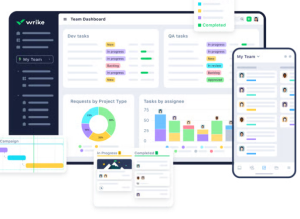
Best for: Combining project and resource management
Wrike is primarily a work and project management platform, with resource management tools built into its broader offering.
Teams can use workload views to see capacity, redistribute work, track time, and plan resources across projects. There’s also functionality for project planning, automation, reporting, and collaboration, which makes Wrike particularly relevant for organisations that want their resource planning closely connected to day-to-day project management.
Key features:
- Workload and capacity planning
- Resource allocation
- Project and task management
- Time tracking
- Workflow automation
- Reporting and dashboards
Worth knowing: Resource planning is one part of a much broader work management platform. Organisations with complex skills-based allocation or enterprise workforce planning requirements may need more specialist functionality.
10. Dayshape
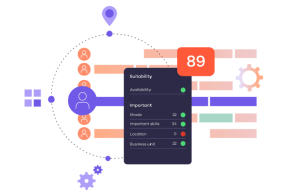
Best for: AI-powered resource optimisation in professional services
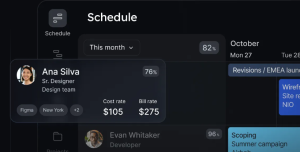
Dayshape is an AI-powered resource management platform aimed at professional services firms. Its scheduling engine assesses large numbers of possible allocations across an entire portfolio, matching people to work based on factors including skills, availability, and commercial impact.
There’s plenty beyond AI scheduling, too. Dayshape combines capacity and demand planning with skills-based allocation, project financials, budgeting, reporting, and firm-wide visibility. Its newer AI agents can also analyse resourcing data and surface insights through Microsoft Teams and Copilot.
Key features:
- AI-powered resource optimisation
- Skills-based allocation and suitability scoring
- Capacity and demand planning
- Gantt chart scheduling
- Real-time project financials
- Reporting, dashboards, and integrations
Worth knowing: Dayshape is heavily focused on professional services. That makes it particularly relevant to larger accounting, consulting, and similar firms, while organisations outside professional services should assess how closely its sector-specific approach fits their requirements.
How to choose the right resource planning software
Ten options, ten slightly different approaches. So how do you actually choose?
A good place to start is with the complexity of the resource planning problem you’re trying to solve.
A smaller team may simply need a clearer way to see availability, schedule work, and avoid overbooking. As your workforce grows, things tend to get trickier. You may need to factor in skills, proficiency, locations, utilisation targets, project requirements, employee preferences, and future demand.
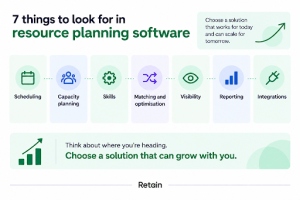
Here are a few things worth looking at:
- Scheduling: How easy is it to allocate and move people between projects?
- Capacity planning: Can you see current and future availability?
- Skills: Can you find people based on the specific skills and experience a project requires?
- Matching and optimisation: Can the software help identify strong allocation options when there are hundreds or thousands of possibilities?
- Visibility: Can teams and departments work from the same view of resources?
- Reporting: Can you track utilisation, demand, capacity, and other metrics that matter to your organisation?
- Integrations: Will it connect properly with the systems you already use?
And think about where you’re heading, too. Resource planning software tends to become much harder to replace once it’s embedded in your processes, so it’s worth choosing something that can handle the level of complexity you expect over the next few years.
When do you need more advanced resource planning software?
For plenty of teams, a visual schedule and a decent view of capacity will do the job. But things change when you’re allocating hundreds or thousands of people across different projects, departments, locations, and skill requirements.
At that point, finding an available person is only part of the challenge. Resource managers may need to consider proficiency, experience, utilisation, employee preferences, project requirements, future demand, and competing priorities at the same time.
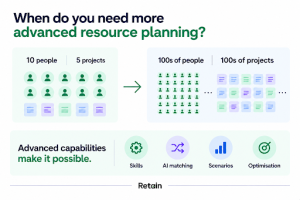
You can see the issue here.
The number of possible allocation combinations gets very big, very quickly.
This is where more advanced capabilities such as skills intelligence, AI-powered matching, scenario planning, and resource optimisation become useful. They can help resource teams evaluate far more information and potential allocations than would be practical to work through manually.
Which resource planning software is right for you?
The best resource planning software really depends on what you need it to handle. If your biggest headache is simply seeing who’s available and keeping workloads balanced, a straightforward scheduling tool may be all you need.
If you’re planning resources across a large or complex workforce, skills data, demand forecasting, cross-department visibility, AI-powered matching, and optimisation can become much more important.
So before booking a dozen demos, get clear on the problem first:
- How many people are you planning for?
- How complicated are your allocation decisions?
- Which systems need to connect?
- And where are your resource managers spending the most time today?
Those answers should narrow the field pretty quickly.
And if complex, skills-led resource planning is high on your list, Retain is one of the options worth exploring.
You can book a demo here, or if you still have unanswered questions, you might like our FAQs below.
Frequently Asked Questions
Resource planning software helps organisations understand their available people, skills, and capacity, then allocate those resources to projects and other work. Depending on the platform, it can include scheduling, capacity planning, skills matching, forecasting, utilisation tracking, and reporting.
The best resource planning software depends on the size and complexity of your organisation. Tools such as Float and Resource Guru focus on straightforward scheduling, while platforms such as Retain, Dayshape, Saviom, and Kantata are designed to support more complex resource management requirements.
Look for features that match the way your organisation plans resources. Common requirements include resource scheduling, capacity planning, availability tracking, skills management, forecasting, utilisation reporting, integrations, and scenario planning.
For larger workforces, AI-powered matching and optimisation can also help teams work through more possible resource allocations.
Yes. AI can be brilliant to help analyse skills, availability, experience, demand, and other resource data to identify suitable people for work. More advanced optimisation technology can also evaluate large numbers of possible allocation combinations to help resource managers find stronger options.
Resource scheduling focuses on assigning people to specific work and managing when they are available. Resource planning takes a broader view, including future capacity, demand, skills, utilisation, and the resources an organisation is likely to need over time.
Spreadsheets can work when resource requirements are relatively simple. They become harder to manage as the number of people, projects, skills, locations, and scheduling decisions increases. If your team is spending significant time manually updating plans, resolving clashes, or searching for suitable people, dedicated resource planning software may make the process easier to manage.
Our editorial process
Written from interviews with resource managers in IT consulting firms, alongside anonymised patterns from Retain customer data. Direct quotes are used with permission and lightly edited for length.
Reviewed for accuracy by Retain’s resource management practice leads before publication. Claims about outcomes are checked against source data or removed.
The summary at the top of this page is generated from the article text. The article itself is written and edited by people. AI is not used to draft claims, quotes or data.
Spotted something wrong? Email editorial@retaininternational.com and we will correct it, noting the change at the foot of the article.